
The Atrium
Meeting requests, like houseplants, can die from neglect. Tentative times floated but unconfirmed. Unfinished guest lists. Follow-ups nobody owned.
The Atrium ensures every meeting request has eyes on it from the moment it arrives until it lands on the calendar.
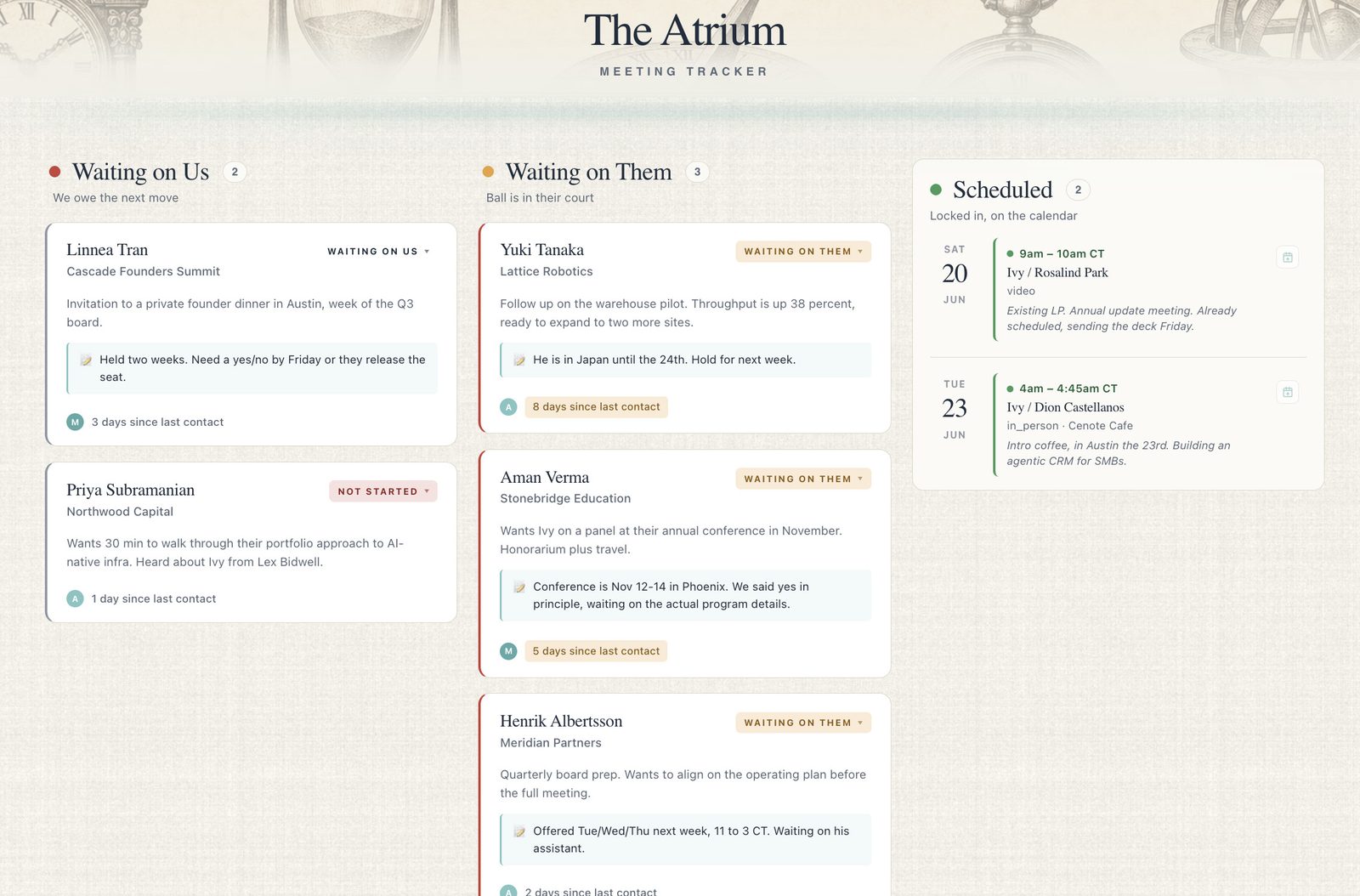
Every request, from inbox to calendar.
01Status at a glance
Every meeting card moves smoothly across the screen as it progresses from "not started" to "scheduled." The three-column system makes it instantly clear who owes the next move.
02Info dump in, structure out
PDFs, copy-pasted notes, or manually added requests: the Atrium handles it. AI takes the source and turns it into a clean card with every relevant field parsed and ready to schedule.
03Never lose your spot
One click pushes a confirmed meeting to the calendar as a real event, with attendees, links, and the briefing note attached. Hold Mode reserves a slot provisionally until it's confirmed.
04Input without lifting a finger
Cards can arrive pre-populated from the Ledger. When the principal approves a meeting request there, it routes into the Atrium with the original context, the call, and any team notes.
The Atrium catches what the Ledger sends, and reports up to the Cornerstone.
See the Atrium in your office.
The Build begins with a Blueprint: a two-week diagnostic that decides exactly which tools, configured exactly how your office moves work.